Adsb-History Self-Hosted
Turnstone is a full-stack application for querying historical ADS-B aircraft data — originally built by Bellingcat as an investigative journalism tool. It lets you filter aircraft positions by geographic region, altitude, speed, bearing, type, and more against a large historical dataset.
The original project requires manually setting up PostgreSQL with PostGIS, a Flask API, a Vue.js frontend, and Firebase authentication. That’s a lot of moving parts to coordinate before you can run a single query. My modified version of Turnstone adds a Docker-based deployment that brings it all together with a single command.
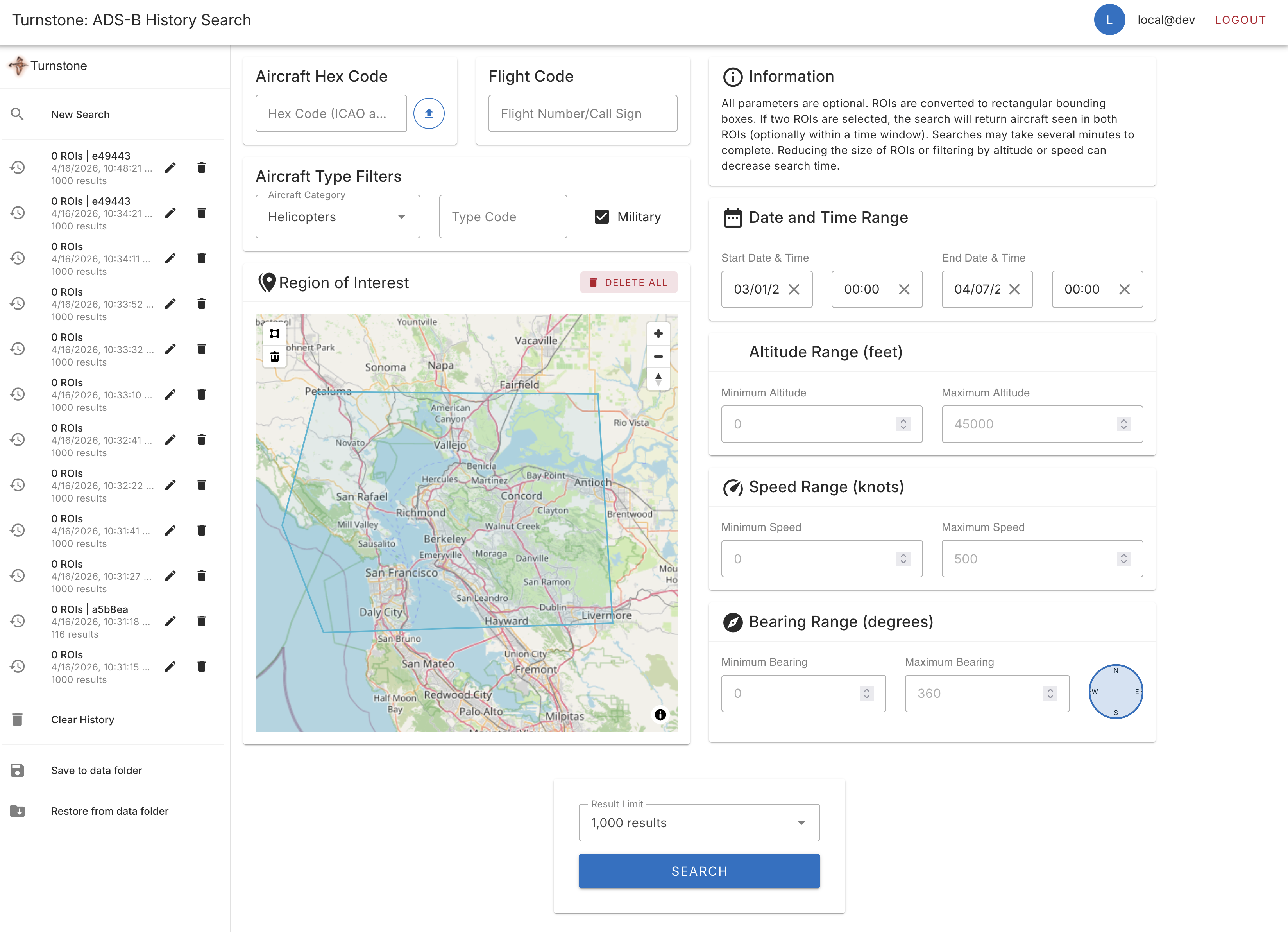
The Turnstone query builder with bounding box selection and filters
What Changed

The PR adds Docker Compose orchestration for the entire stack, optional Firebase-free (“local”) mode, support for an external Postgres database, improved data loading scripts, and updated documentation.
Everything persistent lives under a single data/ directory in the repo root — heatmap files, Postgres data, modes CSV, query history backups, and optionally your Firebase service account key.
Quick Start (Local Postgres, No Firebase)
This is the easiest path. You get a fully self-contained stack with no Google accounts required.
1. Clone and configure
git clone https://github.com/salaheldinaz/adsb-history.git
cd adsb-history
cp docker/.env.example docker/.env
Both DISABLE_AUTH=1 and VITE_DISABLE_AUTH=1 are set by default in .env.example, so no changes are needed for a Firebase-free setup. All other defaults work out of the box.
2. Download heatmap data
The heatmap data comes from adsblol/globe_history. The download script handles fetching and extracting the split .tar.aa/.tar.ab archive:
./scripts/download-globe-history.sh data
When run from a terminal, the script is interactive — it shows a numbered catalog of all available prod releases and lets you pick by index, a date, or a date range:
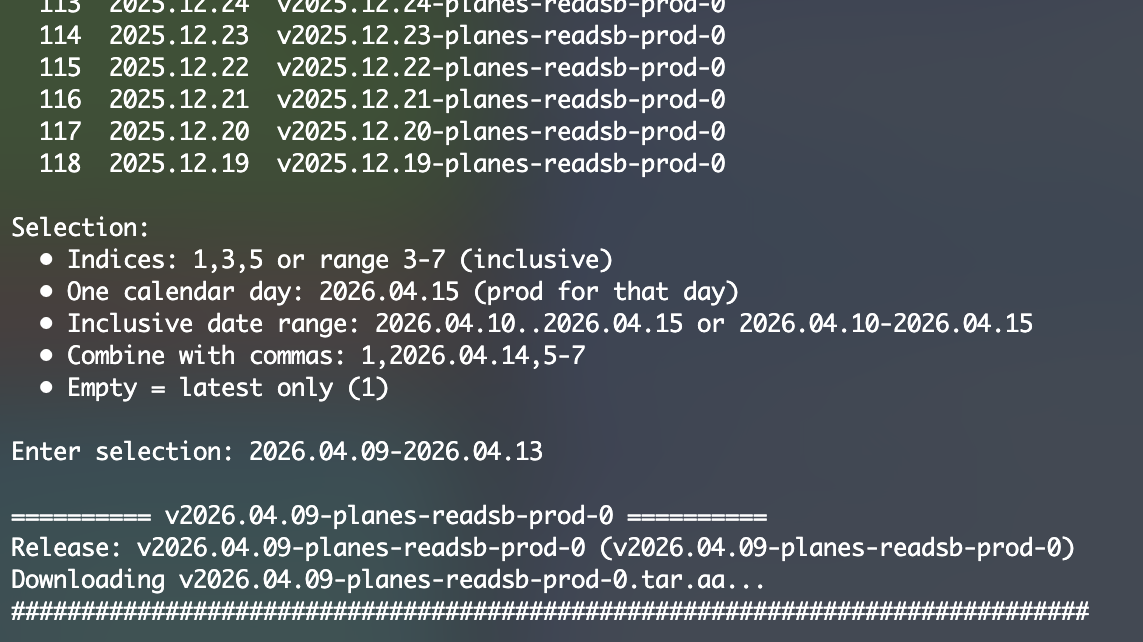
When piped or run non-interactively (e.g. in CI), it downloads the latest release automatically. The script extracts each release into data/<tag>/ — note the directory name for step 4.
3. Start the stack
docker compose -f docker/docker-compose.yml up -d
This starts Postgres (with PostGIS), the Flask API, and the Nginx-fronted Vue frontend.
4. Load the heatmap data
To load all downloaded releases at once (bulk):
docker compose -f docker/docker-compose.yml run --rm data-loading /data
Or to load a single specific release:
docker compose -f docker/docker-compose.yml run --rm data-loading \
  /data/<RELEASE_DIR>/heatmap
Replace <RELEASE_DIR> with the tag directory from step 2 (e.g. v2026.04.15-planes-readsb-prod-0). The loader accepts gzip-compressed and raw binary files, handles big-endian format, and supports both YYYY-MM-DD and YYYY.MM.DD date directory naming.
5. Open the app
- Frontend: http://localhost:8080
- API: http://localhost:5000
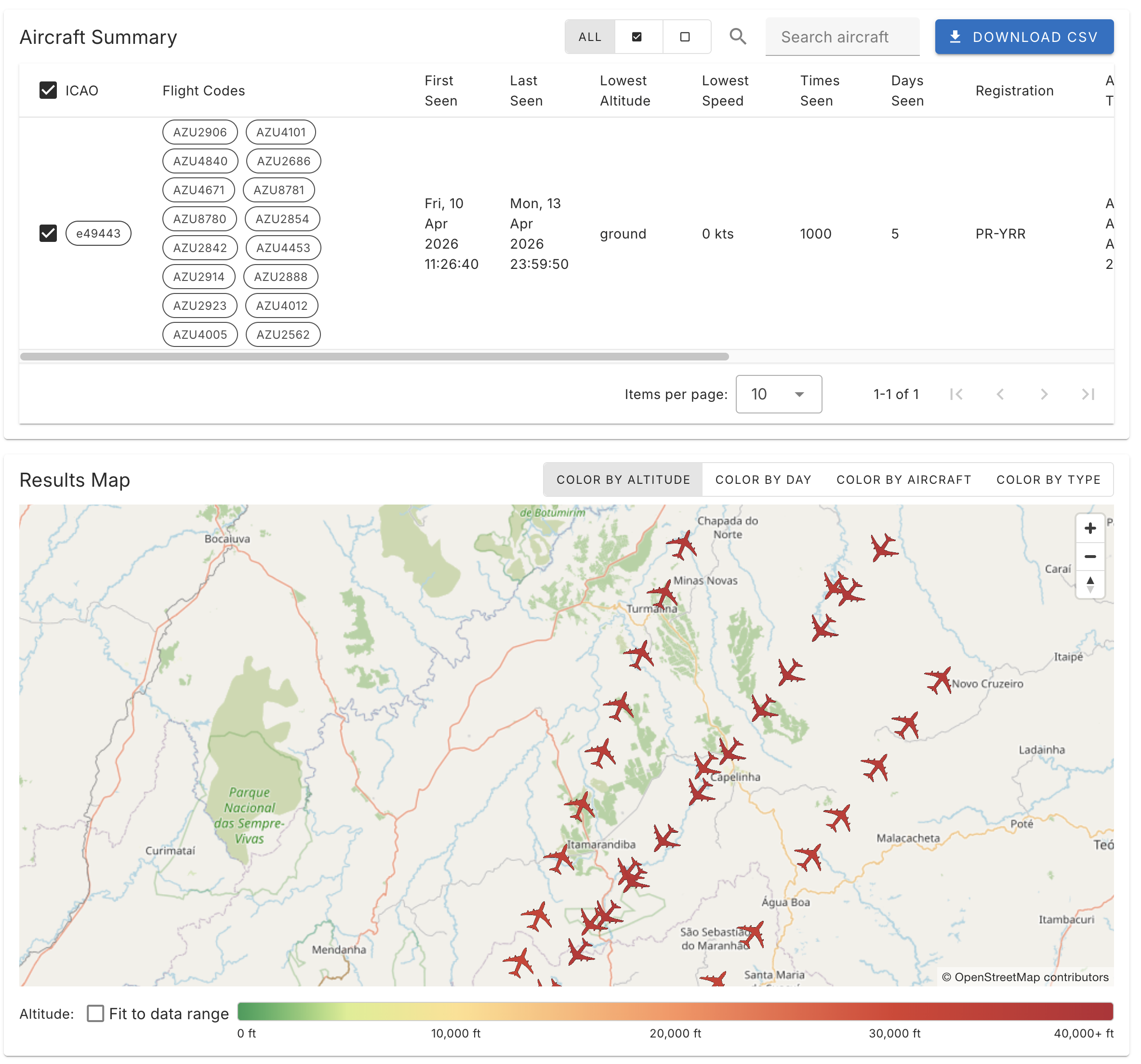
Query results shown as points on the map
Using an External Postgres Database
If you already have a PostGIS-enabled Postgres instance (e.g. on a NAS, a VPS, or a managed cloud database), you can point the stack at it instead of running a local container.
1. Set DOCKER_DATABASE_URL in your .env
Docker containers can’t reach localhost — use the actual host address. On Docker Desktop (Mac/Windows) that’s host.docker.internal; on Linux the compose file already sets extra_hosts for you:
DOCKER_DATABASE_URL=postgresql://user:password@host.docker.internal:5432/adsb
2. Initialize the external database (once)
./scripts/init-external-db.sh
This script is idempotent — safe to run multiple times. It applies docker/postgres/01_schema.sql and loads data/modes.csv if present. It also checks that PostGIS is installed and exits clearly if it isn’t.
3. Start with the external-db override
docker compose \
  -f docker/docker-compose.yml \
  -f docker/docker-compose.external-db.yml \
  up -d
The override file stubs out the local Postgres container so depends_on chains still work, while the API and data-loading containers connect via DOCKER_DATABASE_URL.
4. Load data the same way
# Bulk — all releases under data/
docker compose \
  -f docker/docker-compose.yml \
  -f docker/docker-compose.external-db.yml \
  run --rm data-loading /data

# Or single release
docker compose \
  -f docker/docker-compose.yml \
  -f docker/docker-compose.external-db.yml \
  run --rm data-loading /data/<RELEASE_DIR>/heatmap
Optional: Firebase Authentication
If you want to enable user accounts and Firestore-backed query history (the original upstream behaviour), add Firebase credentials:
- Create a project at console.firebase.google.com and enable Authentication.
- Download a service account JSON key and place it in
data/firebase-service-account.json. - In
docker/.env, set:FIREBASE_SERVICE_ACCOUNT_KEY=/data/firebase-service-account.json FIREBASE_PROJECT_ID=your-project-id VITE_FIREBASE_API_KEY=... # (plus the other VITE_FIREBASE_* vars from .env.example) - Set
DISABLE_AUTH=0andVITE_DISABLE_AUTH=0(overriding the defaults).
When Firebase is disabled, the frontend uses a stub user and stores query history in the browser’s IndexedDB instead of Firestore.
Query History Backup & Restore
Whether you use Firebase or not, you can back up and restore your saved queries through the UI. Look for the “Save to data folder” and “Restore from data folder” buttons in the Query History panel. These write to/from data/query-history-backup.json via the API, so backups survive container restarts.
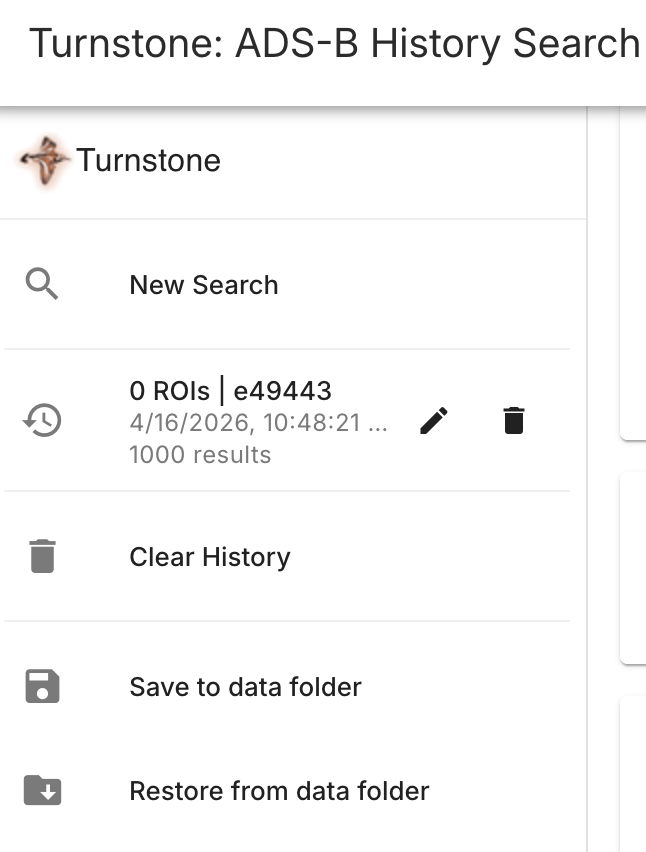
Saved queries with backup and restore options
Environment Variables Reference
| Variable | Default | Description |
|---|---|---|
DOCKER_DATABASE_URL | (unset) | Full Postgres connection string for Docker containers (use host.docker.internal for a local DB) |
DB_HOST | postgres | Postgres hostname (bundled container) |
DB_PORT | 5432 | Postgres port |
DB_NAME | adsb | Database name |
DB_USER | adsb | Database user |
DB_PASS | adsb | Database password |
DISABLE_AUTH | 1 | Set to 0 to enable Firebase on the backend |
VITE_DISABLE_AUTH | 1 | Set to 0 to enable Firebase on the frontend |
VITE_API_BASE_URL | (empty) | API URL as seen by the browser; leave empty for Docker (frontend proxies /api internally) |
FIREBASE_PROJECT_ID | (unset) | Firebase project ID |
FIREBASE_SERVICE_ACCOUNT_KEY | (unset) | Path to service account JSON inside the container |
QUERY_HISTORY_BACKUP_PATH | /data/query-history-backup.json | Where backup/restore writes query history |
POSTGRES_PORT | (optional) | Override host-side port binding for Postgres |
API_PORT | (optional) | Override host-side port binding for the API |
FRONTEND_PORT | (optional) | Override host-side port binding for the frontend |
Copy docker/.env.example to docker/.env to see all available options with comments.
Data Format Notes
The data loader was updated to handle a few quirks in the wild:
modes.csvformat: Both the original 7-column format and the newer 11-column format (withownerandaircraftfields) are supported via a staging table and mapped insert.- Heatmap filenames: The loader accepts both
0–47(no extension) and00.bin.ttf–47.bin.ttf. - Compression: Gzip-compressed binary input is handled transparently.
- Byte order: Big-endian binaries are supported.
- Date directories: Both
YYYY-MM-DDandYYYY.MM.DDnaming conventions work.
The repo is at github.com/salaheldinaz/adsb-history. If you run into issues with the Docker setup, open an issue or leave a comment.